macOS Ultra HDR JPEG app for Fujifilm X100 and Ricoh GR shooters

Keep your camera's JPEG look. Add real HDR light.

ToneLatch turns matched RAW + SOOC JPEG pairs into real HDR JPEGs that preserve your camera's rendering. Your SOOC JPEG stays the picture, while the RAW adds true HDR highlight headroom instead of pushing you into a tone-mapped RAW edit. The clearest fit today is Fujifilm X100 series and Ricoh GR series workflows.

SOOC JPEG preservedLocal-first processingStandard JPEG fallback

ToneLatch 1.3.3 is the recommended Apple RAW build for Apple Silicon Macs on current macOS releases.

SOOC-first workflowUltra HDR JPEG
Base imageThe original SOOC JPEG stays visible

Camera color, contrast, film simulation, and recipe choices remain the actual rendered picture.

HDR sourceRAW adds real HDR headroom

The RAW file contributes luminance and recovery potential, not a replacement grade, fake HDR effect, or new edit.

Best output pathOne real HDR-capable JPEG

The result is still a normal JPEG everywhere else, with true HDR light only where compatible viewers support it.

InputRAW + JPEG
Output1 JPEG
WorkflowAvailable now

Who it fits best

  • Fujifilm X100 shooters who care about film simulation and custom recipe rendering.
  • Ricoh GR shooters who want their image control look to carry into HDR delivery.
  • Not the strongest fit yet for cameras with heavier JPEG-only lens correction, like Leica Q3.

Why this exists

A narrower tool with a sharper job.

This app came from a simple frustration: on modern HDR phone screens, smartphone photos often pop harder than my real camera files, even when I still prefer Fujifilm film simulations and Ricoh image controls. ToneLatch is my attempt to keep that camera color science — custom recipes and all — and borrow back some of the HDR intensity.

Preserve the true SOOC look

Your film simulation, custom recipe, or image control stays in charge of color and contrast. ToneLatch keeps the camera-made JPEG rendering intact instead of rebuilding the image from RAW.

Real HDR, not a tone-mapped fake

ToneLatch creates a real HDR-capable JPEG with normal SDR fallback. It is meant to add actual display headroom, not just fake an HDR look by tone-mapping everything back into SDR.

Stay in a simple workflow

Built for Fujifilm X100 and Ricoh GR shooters who trust their camera color science, shoot SOOC or RAW+JPEG, and want minimum post-processing before sharing.

Who It's For

Built for photographers who already trust their camera JPEG.

ToneLatch is aimed at Fujifilm, Ricoh, and other RAW+JPEG photographers who want a simpler macOS path to Ultra HDR JPEG output without rebuilding the in-camera look.

Fujifilm X100 series shooters

For photographers who picked Provia, Classic Chrome, Classic Neg, Nostalgic Neg, Reala Ace, Eterna, Acros, or a custom recipe on purpose and do not want to rebuild Fujifilm's color science in Lightroom.

Ricoh GR series shooters

For GR photographers who rely on Positive Film, Monotone, and Ricoh's tuned image controls in a JPEG-first carry-camera workflow and want that color science to survive all the way to the final shared file.

RAW+JPEG users who want less software

For people who already have the right source files but do not want a full HDR editing stack, a reference monitor, or an Adobe subscription.

Workflow

Real HDR without a pro HDR workflow.

01

Drop a folder

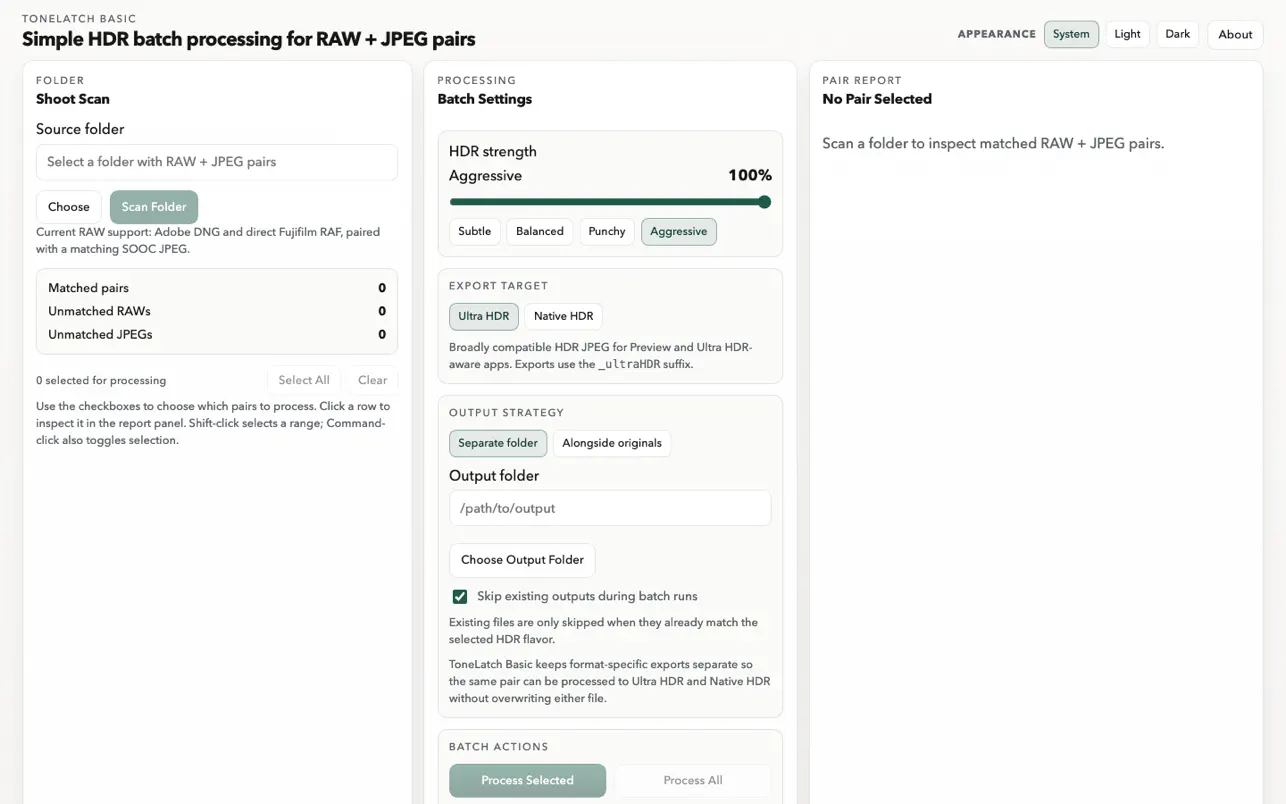
Point the app at a shoot folder of matched DNG and JPEG pairs. ToneLatch 1.3.3 is the recommended Apple RAW build, and ToneLatch 1.3.2 stays available as the compatibility build when Apple RAW support is unavailable on a Mac.

02

Keep the JPEG sacred

The app builds the gain map from RAW luminance data while preserving the SOOC JPEG as the final base rendering.

03

Export one shareable file

Each finished image is a standard JPEG with HDR gain-map data for Google Photos, Chrome-based web delivery, and normal SDR fallback everywhere else.

Browser Check

Test the browser before you judge the photo.

Start with the grayscale pattern because it gives a clear yes-or-no answer for inline web HDR. Once that works, use the real photo checks below as a second-stage test for subtler highlight depth and preserved camera rendering.

Viewing noteBest viewed in Chrome or Google Photos on an HDR-capable display.

Modern Android phones often show the strongest effect. A recent MacBook Pro or other true HDR display can look very good too. On iPhone or iPad, Google Photos is often the better path.

This is a best-effort browser check. Actual HDR rendering still depends on the browser, device, and display working together.

Primary CheckGrayscale browser HDR check

This is a synthetic Ultra HDR JPEG designed to make browser behavior obvious. On a compatible HDR path, the TEST text, top gradient strip, and right-side glow should feel brighter than the neutral gray base.

HDR Test PatternSynthetic grayscale Ultra HDR test pattern with gradients and the word TEST in the middle.

If it looks flat, try adjusting your display brightness until the contrast between the TEST text and the gray base feels strongest. HDR headroom often peaks below maximum brightness.

How To Read ItWhat the browser check actually tells you
Step 1

Verify inline HDR first

Start with the grayscale pattern. If the TEST text and gradients pop there, the browser can show inline Ultra HDR on this display. Try a few brightness levels to find the strongest contrast and headroom.

Step 2

Then judge the real photo

The photo sample is intentionally subtler. Safari can keep a real-world image SDR even when the grayscale pattern above renders HDR.

Step 3

Assume Chrome first

Today the clearest website story is Chrome plus an HDR-capable display. Safari web behavior still depends heavily on content and headroom.

Real Photo Check
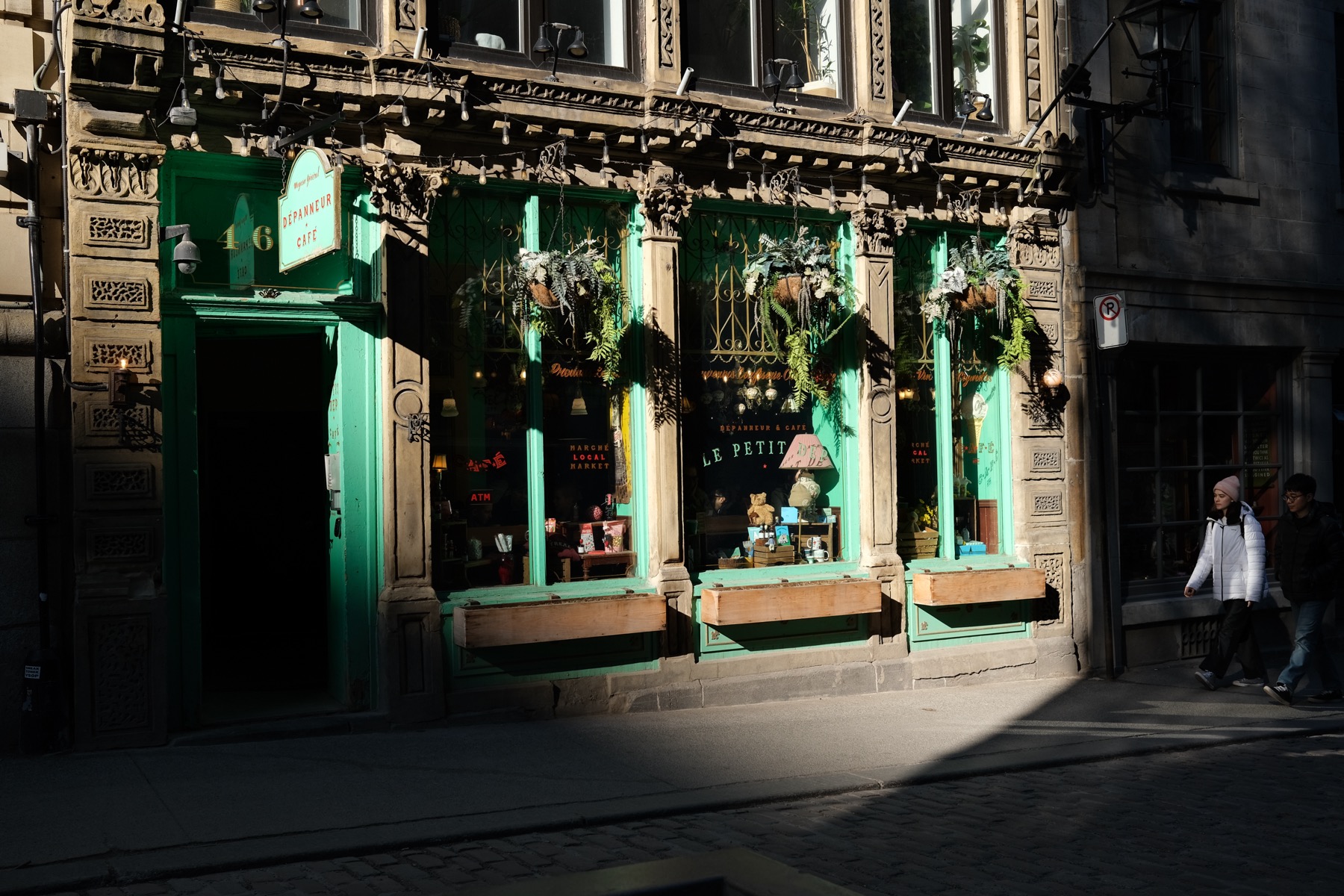
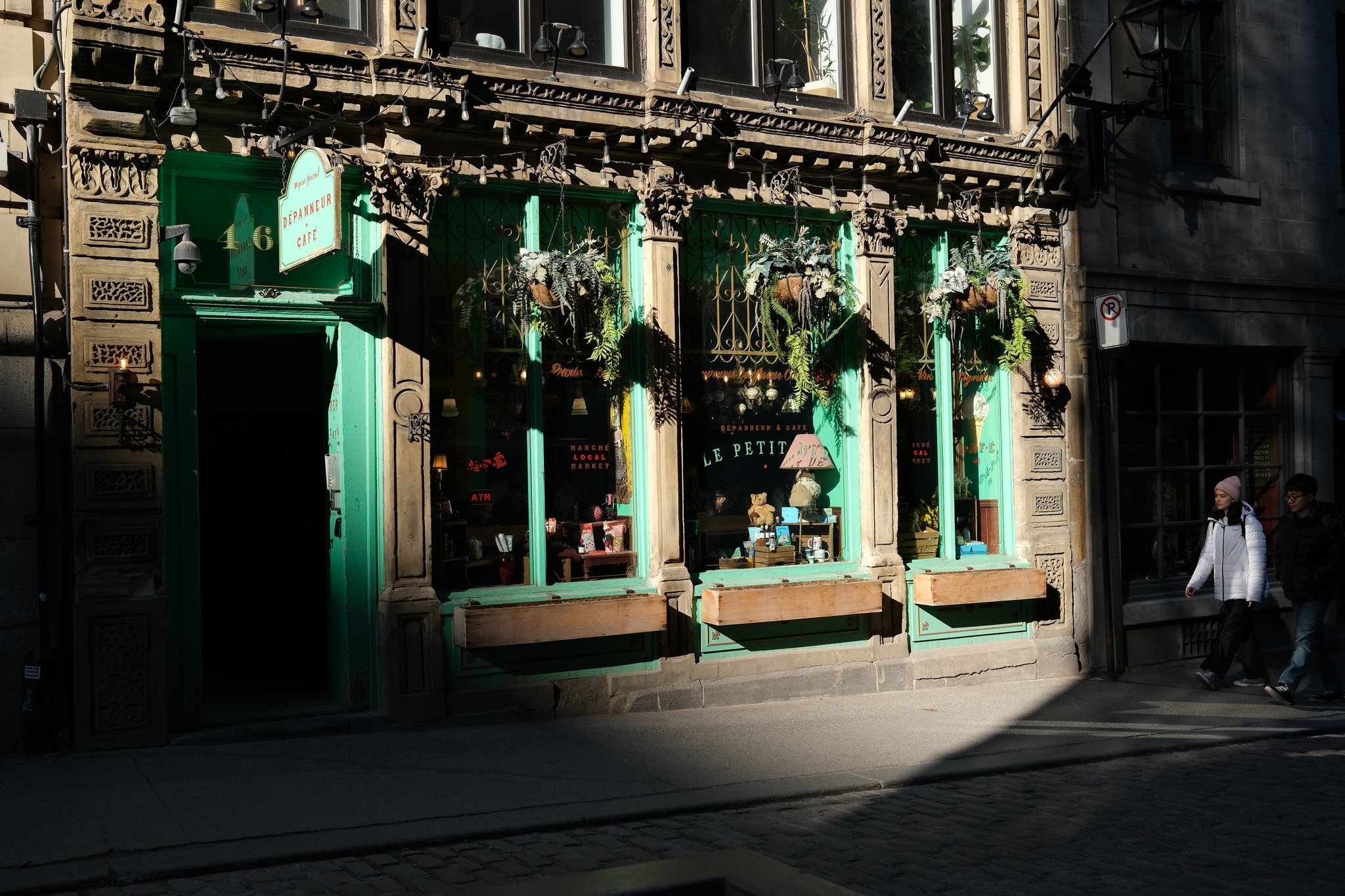
Fujifilm X100VSOOC standard Provia film simulation
Sunlit storefront and hard shadow edge

This Fujifilm X100V sample starts with the standard Provia SOOC JPEG on the left and the actual Web HDR export on the right. In Chrome on an HDR-capable display, the direct sun on the facade, window reflections, and hard shadow transition should feel brighter while the familiar Fujifilm color stays intact.

SOOC JPEGFujifilm X100V SOOC Provia JPEG of a sunlit cafe storefront with teal trim and a hard diagonal shadow across the street.
Ultra HDR JPEGFujifilm X100V Web HDR export of the same storefront with brighter sunlight, window reflections, and preserved Provia color.

Safari may still show this daylight street sample more conservatively than Chrome even when the grayscale browser check above renders HDR.

Real Photo Check
Fujifilm X100VSOOC standard Acros film simulation
Window-lit woodshop portrait

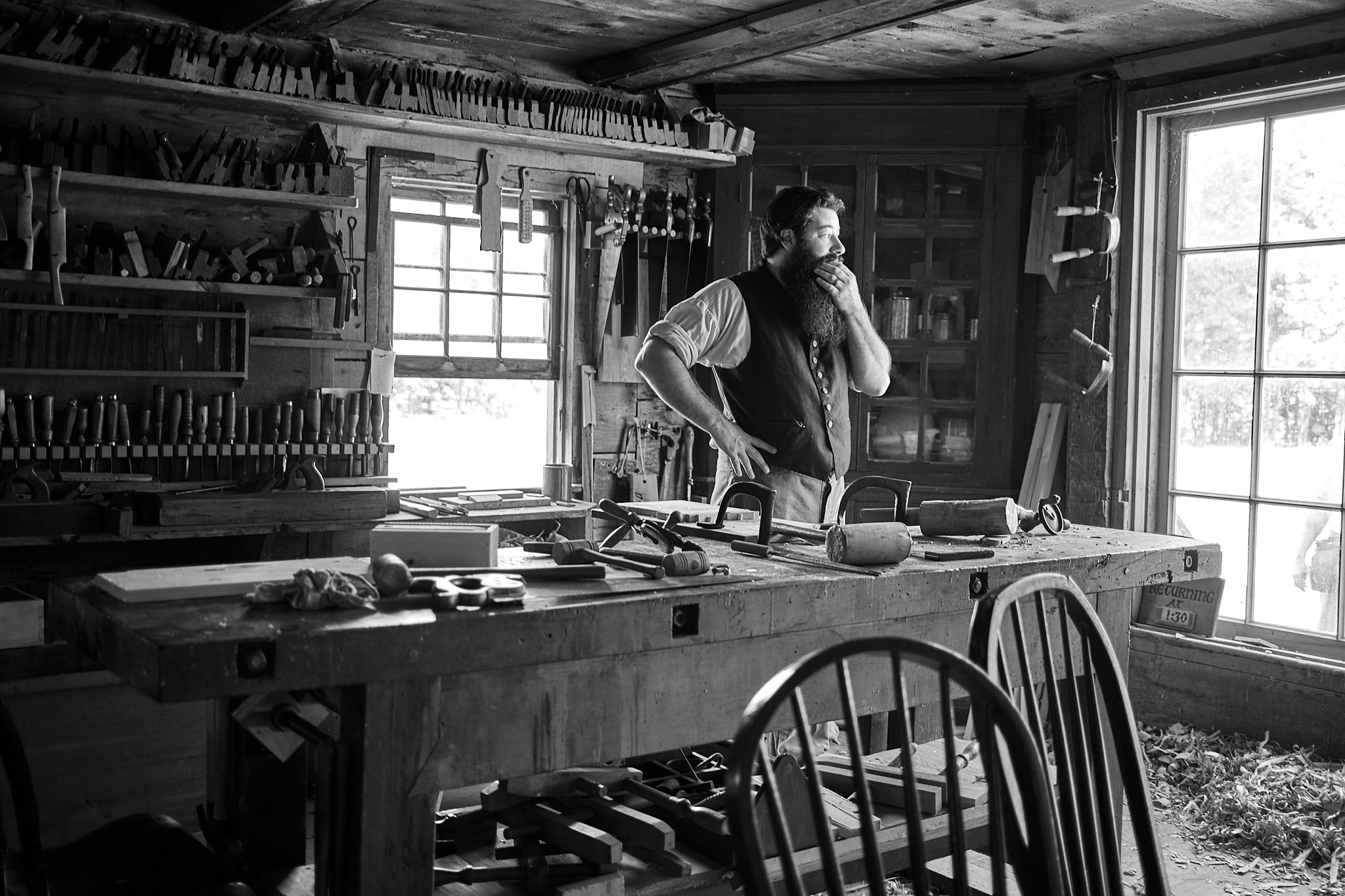
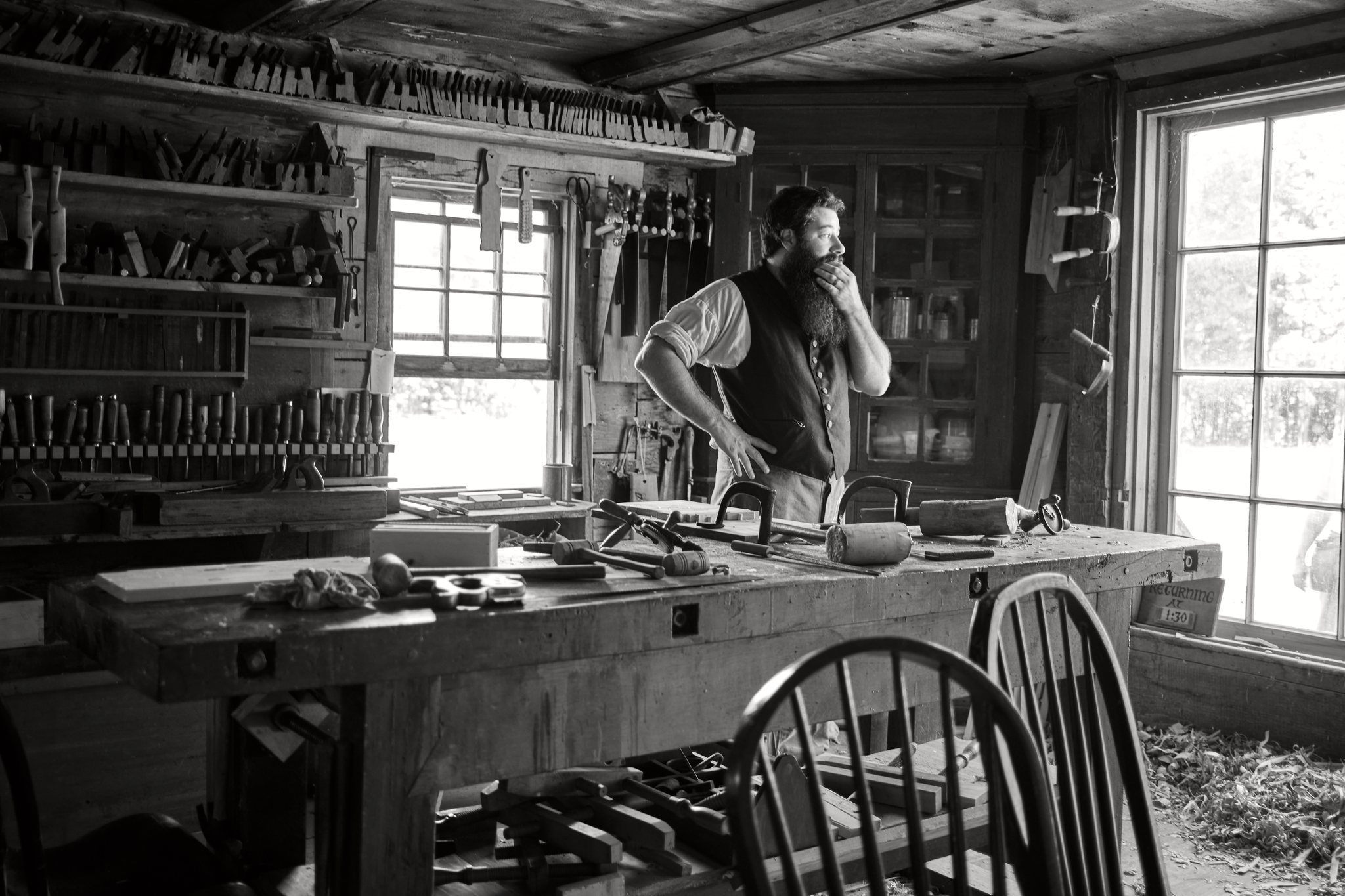
This Fujifilm X100V sample starts with the standard Acros SOOC JPEG on the left and the actual Web HDR export on the right. In Chrome on an HDR-capable display, the bright window panes, reflective edges on the tools, and the separation between the subject and the dim shop interior should all feel more luminous without breaking the monochrome Acros look.

SOOC JPEGFujifilm X100V SOOC Acros JPEG of a bearded craftsperson standing in a dark woodshop beside bright windows and benches full of tools.
Ultra HDR JPEGFujifilm X100V Web HDR export of the same woodshop portrait with brighter window highlights and stronger tonal separation while preserving the Acros rendering.

This scene depends on bright window headroom against a dark interior. Chrome should show the split more clearly than Safari.

Real Photo Check
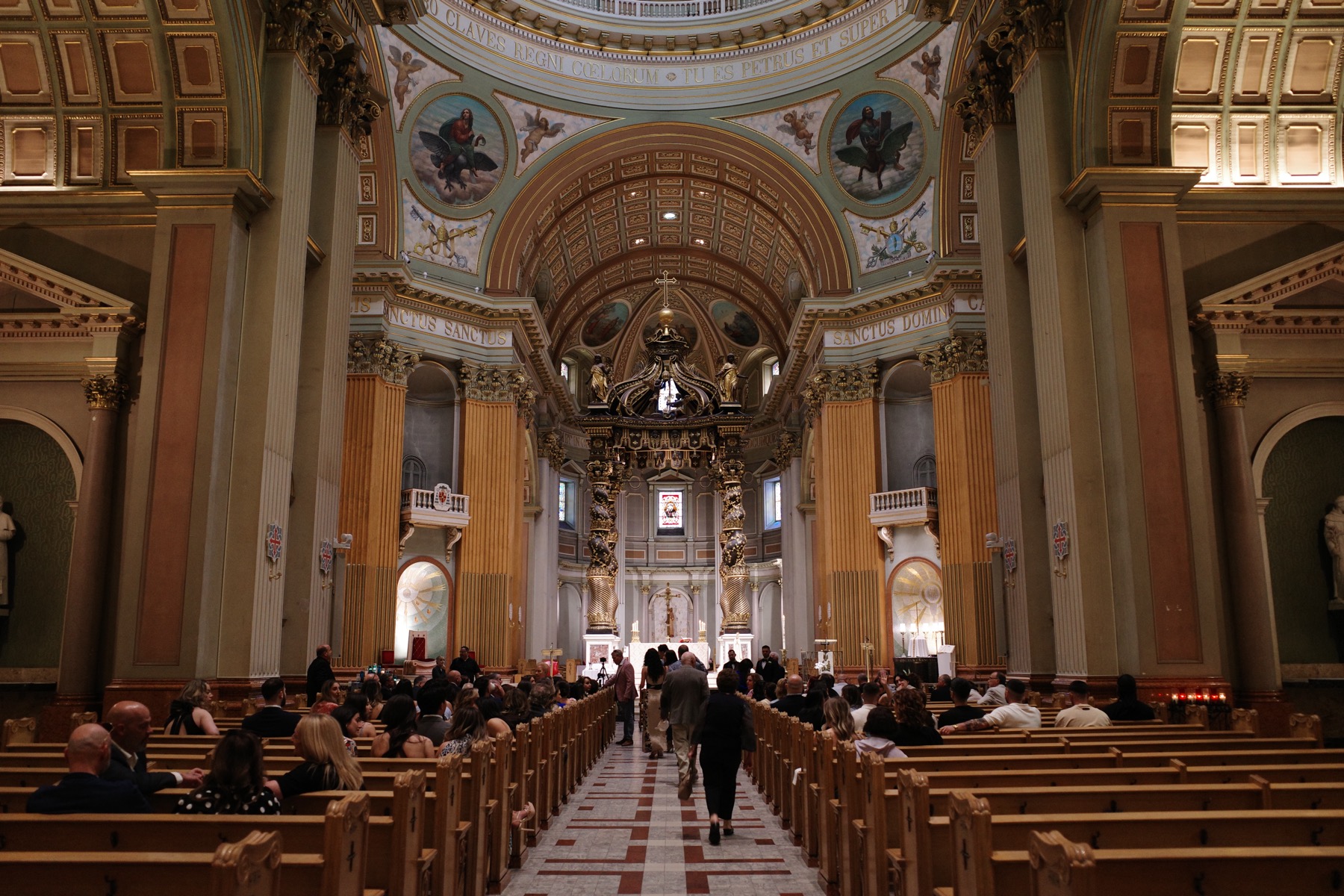
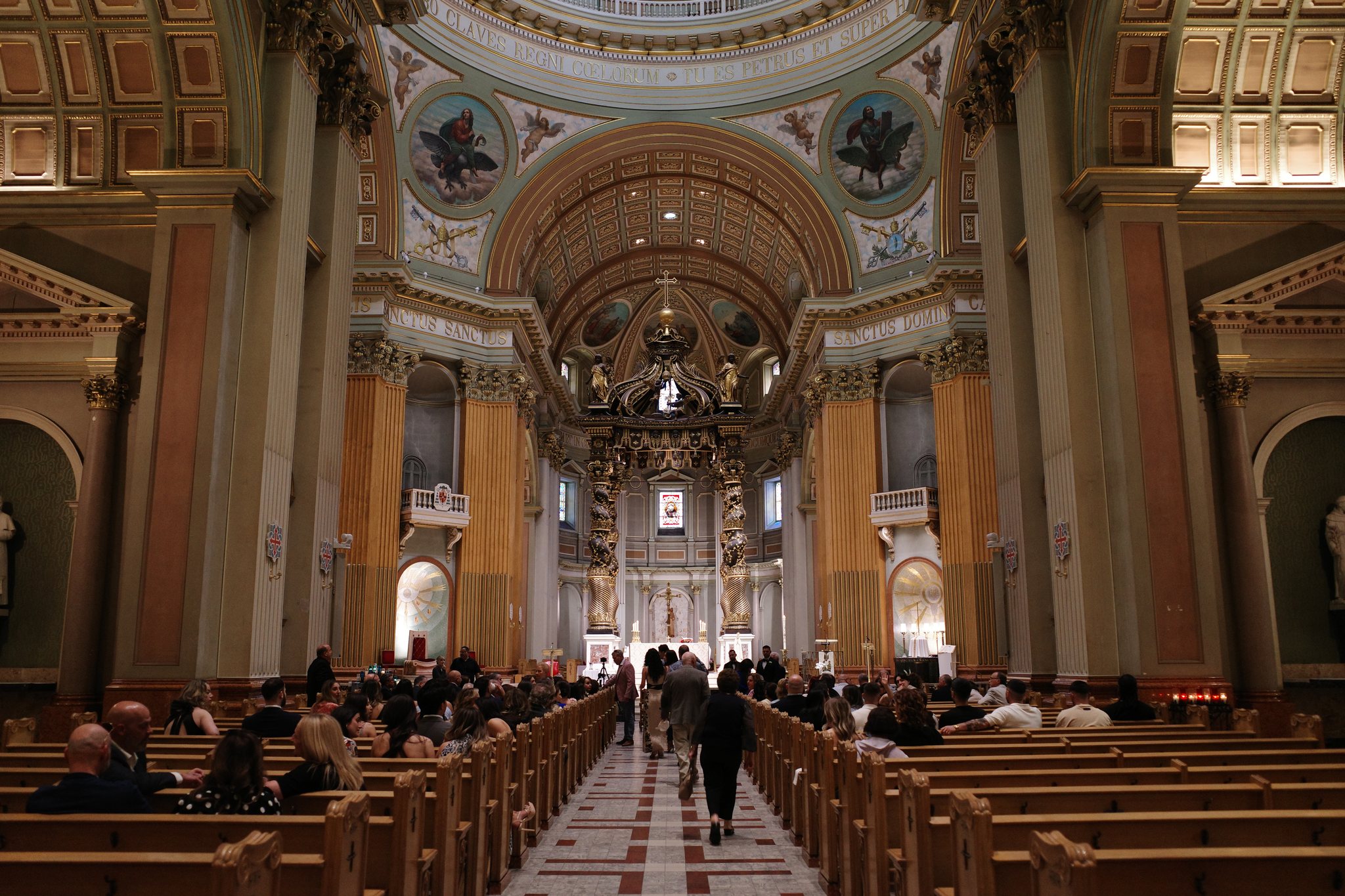
Ricoh GR IIISOOC standard Positive Film image tone
Cathedral aisle and vaulted light

This Ricoh GR III sample starts with the standard Positive Film SOOC JPEG on the left and the actual Web HDR export on the right. In Chrome on an HDR-capable display, the ceiling highlights, bright chapel openings, and reflective detail around the altar should feel brighter while the classic Ricoh Positive Film warmth stays grounded.

SOOC JPEGRicoh GR III SOOC Positive Film JPEG of a cathedral interior with a long central aisle, warm wood pews, and bright chapel openings.
Ultra HDR JPEGRicoh GR III Web HDR export of the same cathedral interior with brighter ceiling highlights and preserved Positive Film color.

This interior scene depends on highlight lift across a mostly dim frame, so Chrome should show the extra headroom more clearly than Safari.

Real Photo Check
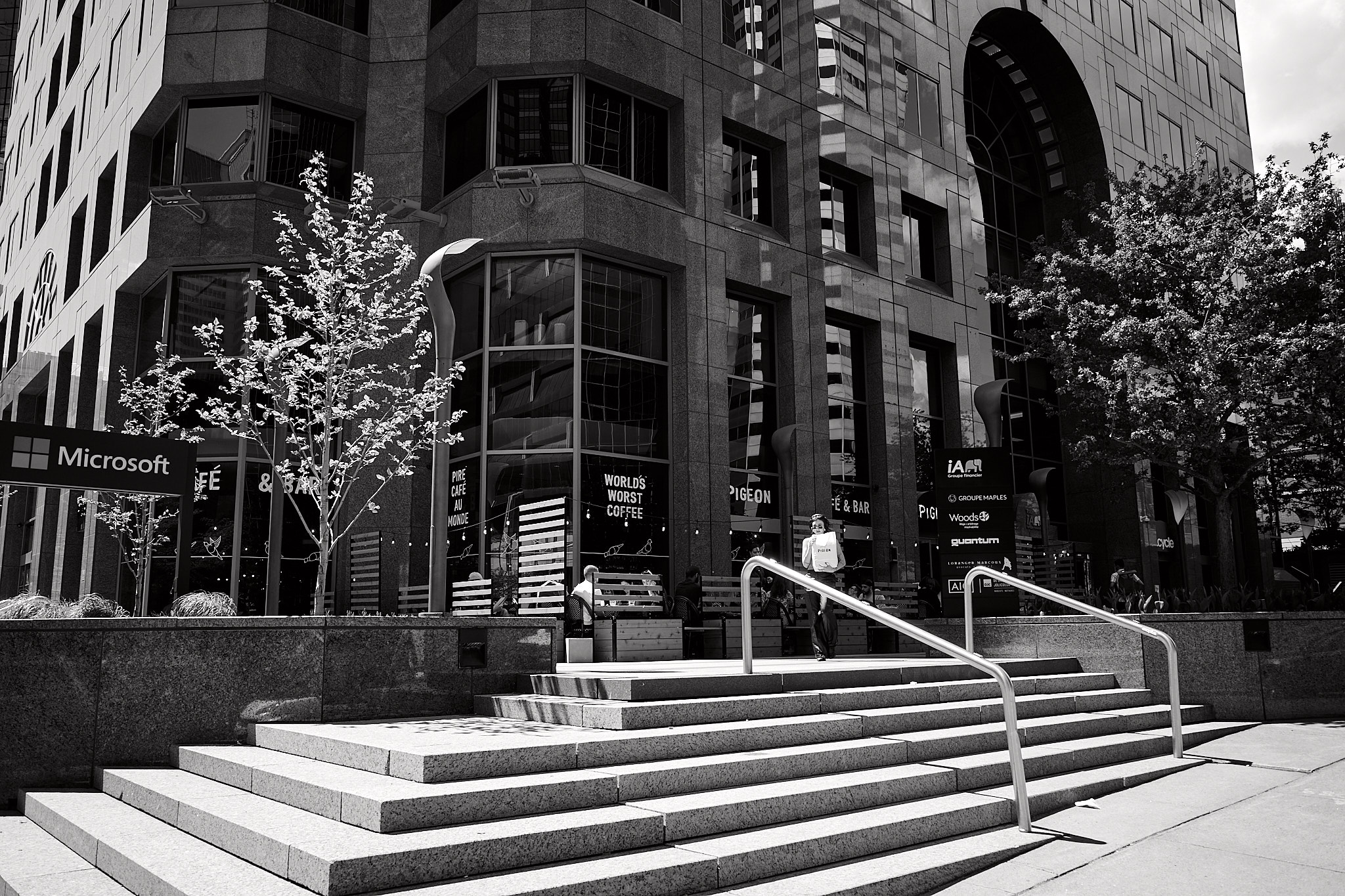
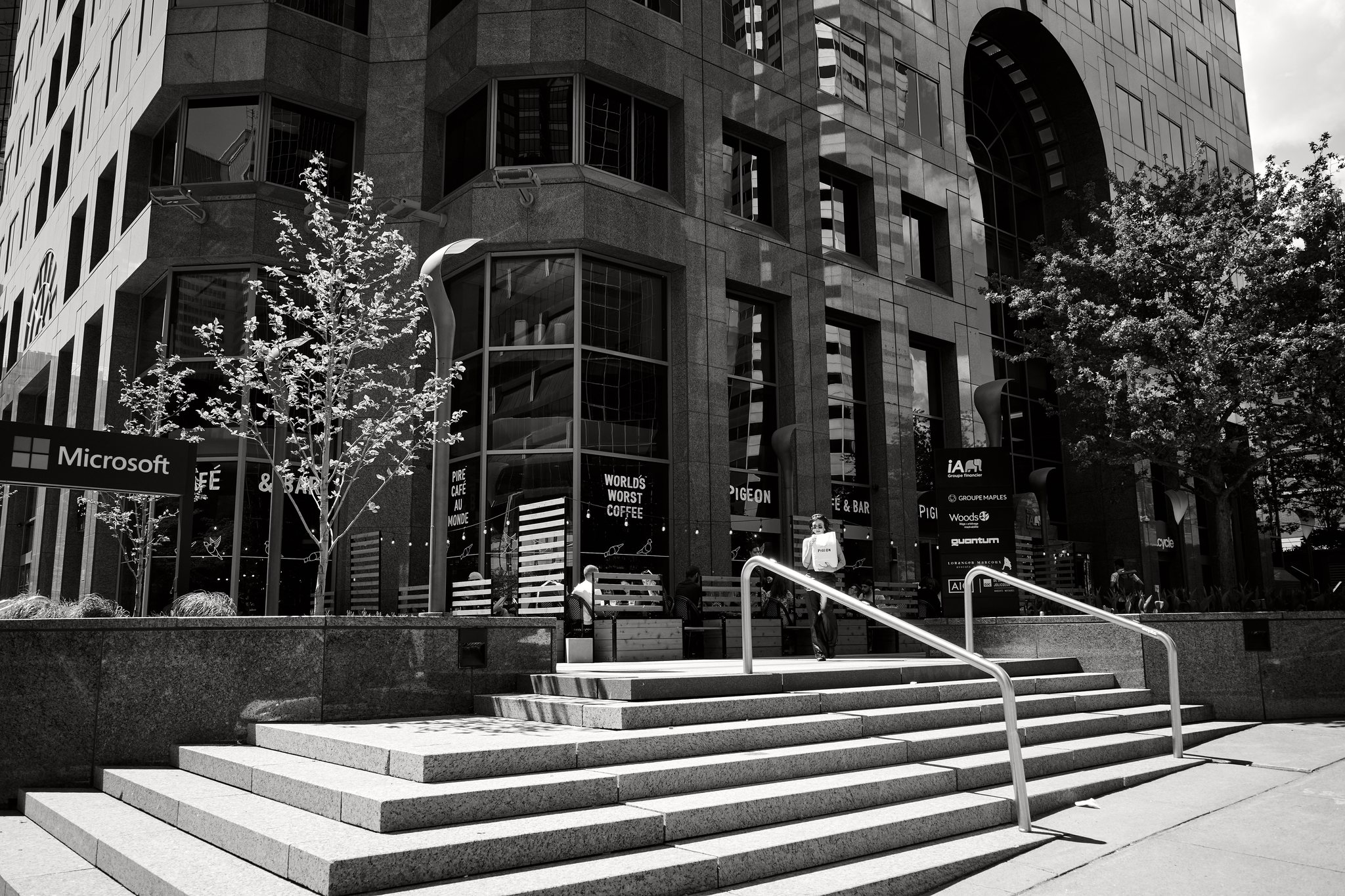
Ricoh GR IIISOOC standard Monotone image tone
Downtown steps in monochrome sun

This Ricoh GR III sample starts with the standard Monotone SOOC JPEG on the left and the actual Web HDR export on the right. In Chrome on an HDR-capable display, the sunlit concrete steps, bright tree leaves, and building-edge highlights should feel more luminous without losing the crisp Ricoh monochrome rendering.

SOOC JPEGRicoh GR III SOOC Monotone JPEG of a downtown building facade with steps, trees, and bright midday light.
Ultra HDR JPEGRicoh GR III Web HDR export of the same downtown monochrome scene with brighter step highlights and preserved Monotone contrast.

This monochrome daylight scene should make the extra highlight energy easier to spot in Chrome than in Safari.

More SDR vs HDR samples

See 9 additional comparison pairs, including post-processed JPEG bases and interchangeable-lens-camera files shot with prime lenses.

Post-processed JPEGsILC + primes

Compatibility

Recommended Apple RAW, with a compatibility path when needed.

ToneLatch 1.3.3 is the primary recommended build for Apple Silicon Macs on current macOS releases. ToneLatch 1.3.2 remains available as the compatibility build when a Mac cannot decode a supported RAW file through Apple RAW.

Recommended build
ToneLatch 1.3.3 with Apple RAW as the primary path
Recommended host
Apple Silicon Macs on current macOS releases
Compatibility build
ToneLatch 1.3.2 using the legacy RAW processing path
Best fit today
Fujifilm X100 series and Ricoh GR series RAW+JPEG shooters
Input workflow
Matched DNG + SOOC JPEG pairs, with direct Fujifilm RAF support included in the recommended Apple RAW build.
RAF support
Included in ToneLatch 1.3.3. If your Mac cannot decode a supported RAW file through Apple RAW, use ToneLatch 1.3.2 as the compatibility build.
Output
Ultra HDR JPEG with standard SDR fallback
Strongest viewing targets
Google Photos on Android and Chrome on HDR-capable displays
Apple viewing note
Apple support is improving, but results still vary by app, image content, and available display headroom. Treat Apple playback as a bonus path, not the core promise.
Camera caveat
Some cameras apply stronger in-camera JPEG crop or lens correction than ToneLatch can fully match today. Leica Q3 is the clearest current example.
Safari web note
Inline Safari rendering still varies by image content and display headroom. Use the browser check below before judging the real-photo sample.
Recovery path
If Apple RAW is unavailable on your Mac, switch to ToneLatch 1.3.2.
File safety
Original files are never overwritten

Launch Status

Download ToneLatch 1.3.3.

The recommended download now uses the Apple RAW path on supported Macs. If your Mac cannot decode a supported RAW file through Apple RAW, use the compatibility build instead.

Recommended Download

ToneLatch 1.3.3

Apple RAW build recommended for Apple Silicon Macs on current macOS releases.

  • Apple RAW is the default processing path
  • Best choice for current supported macOS hosts
  • 25-pair free trial in the same notarized build
Download Recommended Build
Compatibility Build

ToneLatch 1.3.2

Legacy RAW processing path for Macs where Apple RAW support is unavailable.

  • Best fallback when Apple RAW host decoding fails
  • Good choice for broader compatibility testing
  • Still Apple Silicon-only DMG distribution
Download Compatibility Build

Pricing

One focused app. One straightforward license.

ToneLatch is meant to be a small utility you can buy and keep, not another creative subscription hanging over your head.

Launch pricing shown below: US$49 for the perpetual version 1 license, with a 25-pair free trial download, optional direct checkout, one active Mac at a time, and a 14-day refund window.

Free Trial

$0

Test the complete workflow on your own files.

  • 25 successful pairs
  • Fully functional
  • No watermark
Download Free Trial

FAQ

Questions photographers will ask first.

ToneLatch 1.3.3 is the recommended Apple RAW build, and ToneLatch 1.3.2 remains available when a Mac needs the legacy compatibility path.

Will it change my colors or film simulation?

No. Your film simulation, custom recipe, or image control rendering stays exactly as the camera wrote it. The RAW is used only to generate HDR gain information, not to rebuild the look.

Do I need an HDR monitor to make the file?

No. You can create the image on a normal display. Compatible devices will show the HDR effect later, while unsupported viewers still see a normal JPEG.

Why build this instead of just using phone photos?

Because modern phones often look more immediately eye-catching on HDR screens, but many photographers still prefer the color science, film simulations, and custom recipes from Fujifilm X100 and the image controls from Ricoh GR. ToneLatch is meant to keep that proven camera rendering while adding back some HDR highlight intensity.

Is this a Lightroom replacement?

No. It is a narrower tool for photographers who already like the in-camera JPEG and want a simpler HDR output path without re-editing color.

How is this different from RAW2HDR or other HDR converters?

Most HDR converters and editors build the final image from the RAW file, which means the camera's JPEG rendering is discarded. ToneLatch does the opposite: your SOOC JPEG stays pixel for pixel identical as the base image. The RAW is only used to generate the HDR gain map for highlight headroom. If you shoot with film simulations or image controls and want those colors preserved exactly, that is the key difference.

Does the app only support DNG right now?

No. ToneLatch 1.3.3 supports matched DNG plus JPEG pairs and also includes direct Fujifilm RAF support through the recommended Apple RAW path. ToneLatch has been tested with DNG files produced by Adobe DNG Converter using Camera Raw 16.0 compatibility. If you use Iridient X-Transformer, make sure the DNG format is set to Lossless DNG V1.0 before pairing it with the SOOC JPEG.

Why not support RAF or other proprietary RAW formats natively?

DNG is still the safer documented path today because alignment and tone behavior are easier to validate across more files. Direct Fujifilm RAF support is now included in ToneLatch 1.3.3 through the recommended Apple RAW path, while ToneLatch 1.3.2 remains available for Macs that need the legacy compatibility path. Other proprietary RAW formats still need more work before they can be described as a general workflow.

Where can I try RAF support?

RAF support is included in the main ToneLatch 1.3.3 download. If your Mac cannot decode a supported RAW file through Apple RAW, ToneLatch 1.3.2 remains available as the compatibility build.

What image sizes does it handle well?

ToneLatch is designed around typical RAW+JPEG cameras up to about 60 MP, including files in the Leica Q3 range. Higher-resolution files may still work, but anything above libultrahdr's current 8192px raster limit will be auto-resized before the final HDR JPEG is packaged. Web HDR exports are always intentionally resized for web delivery.

What cameras is it best for right now?

The clearest fit today is Fujifilm X100 series and Ricoh GR series shooters who intentionally capture RAW+JPEG and care about the camera's finished JPEG rendering. That is where the current workflow and sales pitch are most honest.

Are there camera-specific limitations?

Yes. Some cameras apply stronger in-camera JPEG crop or lens correction than ToneLatch can fully match today. Leica Q3 is the clearest current example, so treat it as a weaker fit for now than Fujifilm X100 or Ricoh GR files.

Where does it work best today?

The strongest path today is Chrome on an HDR-capable display and Google Photos on Android. Apple support is still messy, and HDR intensity can vary with app behavior, display headroom, and even brightness settings.

Will it lift shadows or change the overall exposure?

ToneLatch is designed to preserve the camera JPEG look while adding HDR highlight headroom. In scenes with strong highlights, that extra range tends to stay concentrated in the bright areas. In flatter or lower-contrast scenes, some HDR viewers may rebalance the tonal range in a way that makes lower tones look slightly lifted, especially with stronger presets.

Can I keep editing after export?

In current testing, Google Photos on Android has been the friendliest downstream path. Basic edits like crops and adjustments have retained the HDR output more reliably there than in Apple viewing paths, but you should still test your own workflow.

Where can I share Ultra HDR files?

Most social platforms re-encode uploaded images and strip the HDR gain map in the process. For now, the best use cases are Google Photos for sharing, your own portfolio or personal website where you control how images are served, and any viewer that loads the original file directly in Chrome on an HDR display.

Is this a subscription?

No. ToneLatch is sold as a perpetual license. Version 1 includes ongoing 1.x bug fixes and minor updates. Any future major version would be a separate optional upgrade.

How many Macs can I use it on?

One active Mac at a time. If you are moving to a new Mac, the license can be deactivated and activated again. If the old Mac is unavailable, support can manually reset the activation.

What is the refund policy?

There is a 14-day refund window. The 25-pair free trial is meant to let you check your camera files, workflow, and display compatibility before buying.

What cameras is it best for?

The clearest fit is Fujifilm X100 series (X100V, X100VI) and Ricoh GR series (GR III, GR IIIx), cameras with strong JPEG color science where shooters trust the film simulation or image control output enough to share it directly.